𝓑𝓮 𝔂𝓸𝓾𝓻𝓼𝓮𝓵𝓯
Stylish Text Generator — 104 styles
Type once and every style appears below — tap Copy and paste it into Instagram, WhatsApp or anywhere else.
𝕭𝖊 𝖞𝖔𝖚𝖗𝖘𝖊𝖑𝖋
𝙱 𝙴 𝚈 𝙾 𝚄 𝚁 𝚂 𝙴 𝙻 𝙵
Ⓑⓔ ⓨⓞⓤⓡⓢⓔⓛⓕ
🄱🄴 🅈🄾🅄🅁🅂🄴🄻🄵
𝗕𝗲 𝘆𝗼𝘂𝗿𝘀𝗲𝗹𝗳
𝔹𝕖 𝕪𝕠𝕦𝕣𝕤𝕖𝕝𝕗
ʙᴇ ʏᴏᴜʀsᴇʟꜰ
Be yourself
˗ˏˋ 𝓑𝓮 𝔂𝓸𝓾𝓻𝓼𝓮𝓵𝓯 ´ˎ˗
B̷e̸ y̵o̶u̲r̳s̷e̸l̵f̶
B̶e̶ y̶o̶u̶r̶s̶e̶l̶f̶
ɟlǝsɹnoʎ ǝq
𝑩𝒆 𝒚𝒐𝒖𝒓𝒔𝒆𝒍𝒇
𝐁𝐞 𝐲𝐨𝐮𝐫𝐬𝐞𝐥𝐟
𝐵𝑒 𝑦𝑜𝑢𝑟𝑠𝑒𝑙𝑓
𝘉𝘦 𝘺𝘰𝘶𝘳𝘴𝘦𝘭𝘧
𝘽𝙚 𝙮𝙤𝙪𝙧𝙨𝙚𝙡𝙛
𝖡𝖾 𝗒𝗈𝗎𝗋𝗌𝖾𝗅𝖿
ℬℯ 𝓎ℴ𝓊𝓇𝓈ℯ𝓁𝒻
𝔅𝔢 𝔶𝔬𝔲𝔯𝔰𝔢𝔩𝔣
🅑🅔 🅨🅞🅤🅡🅢🅔🅛🅕
🅱🅴 🆈🅾🆄🆁🆂🅴🅻🅵
🄑⒠ ⒴⒪⒰⒭⒮⒠⒧⒡
B̲e̲ y̲o̲u̲r̲s̲e̲l̲f̲
B̷e̷ y̷o̷u̷r̷s̷e̷l̷f̷
B̰ḛ y̰o̰ṵr̰s̰ḛl̰f̰
B̤e̤ y̤o̤ṳr̤s̤e̤l̤f̤
ᵇᵉ ʸᵒᵘʳˢᵉˡᶠ
вє үσυяรєℓƒ
乃乇 リのひ尺丂乇レキ
ᛒᛖ ᛦᛟᚢᚱᛊᛖᛚᚠ
B E Y O U R S E L F
B·e y·o·u·r·s·e·l·f
B♡e y♡o♡u♡r♡s♡e♡l♡f
B✧e y✧o✧u✧r✧s✧e✧l✧f
🄱 🄴 🅈 🄾 🅄 🅁 🅂 🄴 🄻 🄵
Ⓑ ⓔ ⓨ ⓞ ⓤ ⓡ ⓢ ⓔ ⓛ ⓕ
Be YoUrSeLf
flesruoy eB
𝗕 𝗲 𝘆 𝗼 𝘂 𝗿 𝘀 𝗲 𝗹 𝗳
𝙱𝚎 𝚢𝚘𝚞𝚛𝚜𝚎𝚕𝚏
⠃⠑ ⠽⠕⠥⠗⠎⠑⠇⠋
83 ¥0µЯ53£ƒ
b3 y0ur53lf
bₑ yₒᵤᵣₛₑₗf
🇧🇪 🇾🇴🇺🇷🇸🇪🇱🇫
𝗕̶𝗲̶ 𝘆̶𝗼̶𝘂̶𝗿̶𝘀̶𝗲̶𝗹̶𝗳̶
𝗕̲𝗲̲ 𝘆̲𝗼̲𝘂̲𝗿̲𝘀̲𝗲̲𝗹̲𝗳̲
𝓑̲𝓮̲ 𝔂̲𝓸̲𝓾̲𝓻̲𝓼̲𝓮̲𝓵̲𝓯̲
𝓑̣𝓮̣ 𝔂̣𝓸̣𝓾̣𝓻̣𝓼̣𝓮̣𝓵̣𝓯̣
Ⓑ̶ⓔ̶ ⓨ̶ⓞ̶ⓤ̶ⓡ̶ⓢ̶ⓔ̶ⓛ̶ⓕ̶
B̶e̶ y̶o̶u̶r̶s̶e̶l̶f̶
𝕭̲𝖊̲ 𝖞̲𝖔̲𝖚̲𝖗̲𝖘̲𝖊̲𝖑̲𝖋̲
𝙱̶𝚎̶ 𝚢̶𝚘̶𝚞̶𝚛̶𝚜̶𝚎̶𝚕̶𝚏̶
ʙ̲ᴇ̲ ʏ̲ᴏ̲ᴜ̲ʀ̲s̲ᴇ̲ʟ̲ꜰ̲
𝔹̰𝕖̰ 𝕪̰𝕠̰𝕦̰𝕣̰𝕤̰𝕖̰𝕝̰𝕗̰
B e y o u r s e l f
𝔹 𝕖 𝕪 𝕠 𝕦 𝕣 𝕤 𝕖 𝕝 𝕗
ʙ ᴇ ʏ ᴏ ᴜ ʀ s ᴇ ʟ ꜰ
𝓑 𝓮 𝔂 𝓸 𝓾 𝓻 𝓼 𝓮 𝓵 𝓯
Be Yourself
Be yourself
beYourself
BeYourself
be_yourself
be-yourself
be.yourself
yourself Be
eB flesruoy
-... . / -.-- --- ..- .-. ... . .-.. ..-.
01000010 01100101 01111001 01101111 01110101 01110010 01110011 01100101 01101100 01100110
42 65 79 6F 75 72 73 65 6C 66
B̀҉ẹ́ ỹ̥ö̱ṵ̊r̤̆s̀҉ẹ́l̥̃f̱̈
Bㅤe yㅤoㅤuㅤrㅤsㅤeㅤlㅤf
B̅e̅ y̅o̅u̅r̅s̅e̅l̅f̅
B̿e̿ y̿o̿u̿r̿s̿e̿l̿f̿
B̄ē ȳōūr̄s̄ēl̄f̄
B̆ĕ y̆ŏŭr̆s̆ĕl̆f̆
Ḃė ẏȯu̇ṙṡėl̇ḟ
B̈ë ÿöür̈s̈ël̈f̈
B̊e̊ ẙo̊ůr̊s̊e̊l̊f̊
B̃ẽ ỹõũr̃s̃ẽl̃f̃
B́é ýóúŕśéĺf́
B̌ě y̌ǒǔřšěľf̌
B̽e̽ y̽o̽u̽r̽s̽e̽l̽f̽
B⃗e⃗ y⃗o⃗u⃗r⃗s⃗e⃗l⃗f⃗
B̳e̳ y̳o̳u̳r̳s̳e̳l̳f̳
Ḇe̱ y̱o̱u̱ṟs̱e̱ḻf̱
B̥e̥ y̥o̥u̥r̥s̥e̥l̥f̥
Ḅẹ ỵọụṛṣẹḷf̣
B̸e̸ y̸o̸u̸r̸s̸e̸l̸f̸
B̴e̴ y̴o̴u̴r̴s̴e̴l̴f̴
B̵e̵ y̵o̵u̵r̵s̵e̵l̵f̵
B★e y★o★u★r★s★e★l★f
B✦e y✦o✦u✦r✦s✦e✦l✦f
B✿e y✿o✿u✿r✿s✿e✿l✿f
B♪e y♪o♪u♪r♪s♪e♪l♪f
B~e y~o~u~r~s~e~l~f
B-e y-o-u-r-s-e-l-f
B_e y_o_u_r_s_e_l_f
B•e y•o•u•r•s•e•l•f
B°e y°o°u°r°s°e°l°f
B✚e y✚o✚u✚r✚s✚e✚l✚f
No styles in this category.
Hearts
Stars
Crowns
Arrows
Brackets
Lines
Music
Weather
Flowers
Marks
WORKS EVERYWHERE YOU PASTE IT
Instagram
TikTok
Discord
YouTube
Facebook
Twitter
Snapchat
Everything You Need
to Stand Out
Amazing tools to create, customize and copy stylish text effortlessly.
104+ Text Styles
From cursive to bubble, old english to glitch. Find the perfect style for any vibe.
Cool Symbols
Wrap any style in symbols and special characters to make it even more yours.
Emoji & Kaomoji
Every result comes with emojis picked to match the meaning of your text.
One Click Copy
Copy your stylish text instantly and use it anywhere you want with one click.
Favorites
Save the styles you like and pick them up again on your next visit.
How It Works
1
Type Your Text
Enter any text you want to convert.
2
Choose a Style
Browse and select from dozens of stylish fonts.
3
Copy It
Click to copy your stylish text.
4
Use Anywhere
Paste it on social media, games, bios, and more!
Trending Right Now
What a stylish text generator actually does
A stylish text generator does not change your font. It swaps every letter you type for a different Unicode character that happens to look like a styled version of it — so 𝓑𝓮 𝔂𝓸𝓾𝓻𝓼𝓮𝓵𝓯 is not the letter B in a script typeface, it is U+1D4D1 MATHEMATICAL BOLD SCRIPT CAPITAL B, a separate character with its own name in the standard.
That single fact explains everything else on this page. Because the result is plain text and not a font file, you can paste it into Instagram, WhatsApp, Facebook or TikTok — apps that never offered you a font menu — and it keeps its shape. And because those characters were added for mathematics and typesetting rather than for bios, some devices do not carry them, some platforms strip them, and screen readers read them out one at a time.
The characters come from published Unicode blocks — Mathematical Alphanumeric Symbols, Enclosed Alphanumerics, Halfwidth and Fullwidth Forms among them — all documented by the Unicode Consortium. Nothing here is invented by us, and nothing is installed on your device — how we check what we publish is written up separately.
How to use it
Three steps, no account, no limit on how many times you do it.
- Type your text in the box at the top. Every style updates as you type — you do not press a button first.
- Pick a style from the grid, or narrow it with the Bold, Cursive, Cool, Cute and Weird filters. The Symbols and Emojis tabs hold characters you can add around it.
- Tap Copy and paste it wherever you want. The heart saves a style so it is waiting for you next time.
Which styles survive, and which show as boxes
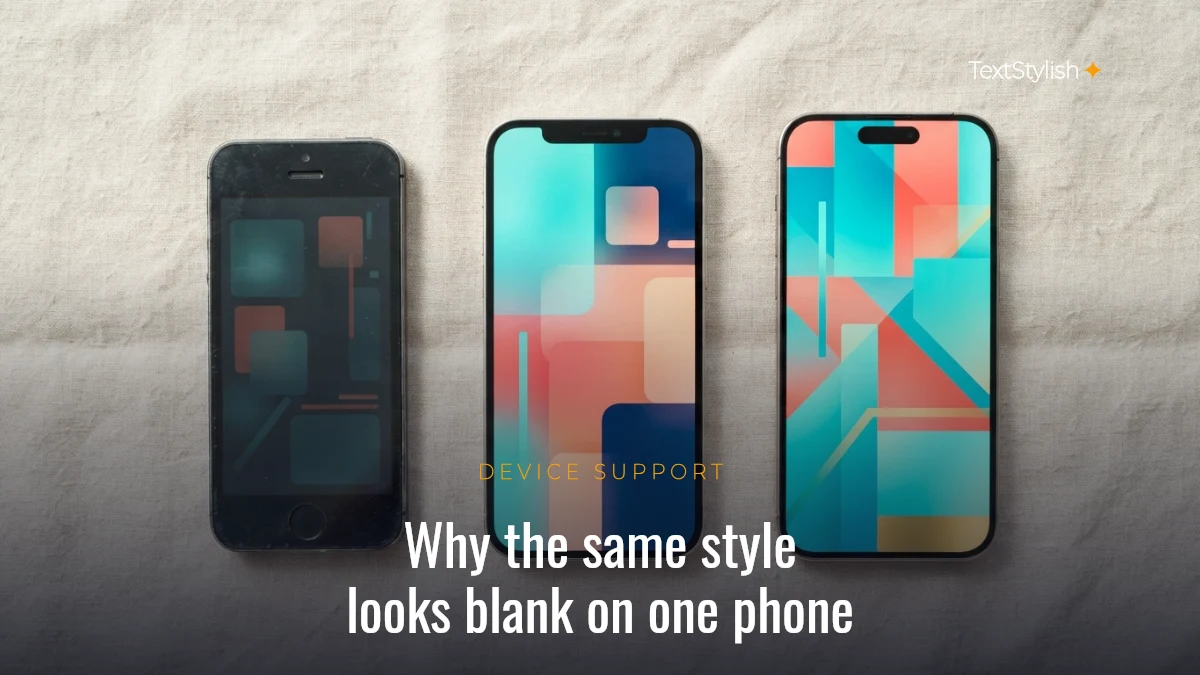
A style renders only if the device has the characters. Support is decided by the Unicode block a style is built from, not by the app, which is why the same result can look perfect on one phone and blank on another.
| Style family | Unicode block | What to expect |
|---|---|---|
| Bold, italic, script, fraktur, double-struck, monospace | Mathematical Alphanumeric Symbols (U+1D400–U+1D7FF) | The most widely carried group. Safe on current iOS, Android and desktop. |
| Bubble, circled, parenthesised | Enclosed Alphanumerics (U+2460–U+24FF) | Very widely carried; the lowercase circled set is the weakest part. |
| Full width | Halfwidth and Fullwidth Forms (U+FF00–U+FFEF) | Effectively universal — it ships with every CJK-capable font. |
| Squared, dark square, letter tiles | Enclosed Alphanumeric Supplement (U+1F100–U+1F1FF) | Renders as emoji-style tiles on phones, plain boxes on some older desktops. |
| Small caps, tiny letters | Phonetic Extensions and Latin Extended | Reliable, but a handful of letters have no small-caps form and stay normal. |
| Glitch, strikethrough, underline | Combining Diacritical Marks (U+0300–U+036F) | Renders almost everywhere, but stacking marks may be trimmed by strict apps. |
| Braille, runic, kana style | Braille Patterns, Runic, Halfwidth Katakana | Fine on phones; the rarest of the set on old machines. |
There is a second reason for blank boxes, and this one is the generator’s fault rather than your device’s. The mathematical alphabets are not complete runs. Unicode had already published a handful of those letters years earlier in the Letterlike Symbols block, so it left the matching slots empty rather than encode the same letter twice. Counted across the three affected alphabets there are 23 gaps — 11 in script, 7 in double-struck, 5 in fraktur. A generator that simply adds a fixed offset to each letter lands on an unassigned slot and emits a box, which is why cursive from some sites loses exactly its B, E, F, H, I, L, M, R, e, g and o. The styles here substitute the real characters — ℬ, ℰ, ℱ, ℋ, ℐ, ℒ, ℳ, ℛ, ℯ, ℊ and ℴ — so a word like 𝐵ℯ𝓁𝓁ℯ comes out whole.
The practical test takes ten seconds: paste the result into a notes app on the device you care about and look at it before you commit it to a profile.
Where stylish text works — and where it does not
The limit is almost never the generator. It is the field you are pasting into, and the rules differ by platform.
Display names and bios usually accept it. Instagram bios, Facebook posts and comments, WhatsApp about text, Discord display names and video captions all take arbitrary Unicode.
Usernames usually do not. A TikTok username accepts only letters, numbers, underscores and full stops — styled characters cannot go there, though your display name can carry them. Handles on most services work the same way, because a handle has to stay typeable and unique.
Real-name fields are the strictest. Facebook’s name policy rejects unusual characters in the name field, so a styled name that pastes fine into a post may be refused on your profile.
Two costs worth knowing before you style everything: search does not match styled characters against normal typing, so a decorated username stops being findable by people typing it plainly; and screen readers announce these characters one at a time, which turns a short handle into a long announcement. Decorate one line, and keep your handle and contact details in ordinary letters.
Why some apps turn your styled text back into plain letters
Paste a styled name into a search box, a login field or a database-backed form and it often reappears as ordinary letters. That is not the generator failing. It is Unicode normalisation — a conversion called NFKC that search indexes, sign-in systems and many content platforms run on text before they store or compare it.
NFKC exists so that a machine treats 𝐒 and S as the same letter. Almost every styled character carries a compatibility decomposition: a pointer in the standard back to the plain letter it imitates. NFKC follows that pointer. We ran each style family on this page through NFKC and recorded exactly what came back.
| Style family | Example | Unicode block | After NFKC |
|---|---|---|---|
| Bold, italic, cursive script, fraktur, double-struck, monospace | 𝐒𝐭𝐲𝐥𝐞 | Mathematical Alphanumeric Symbols | Collapses to Style |
| Full width | Style | Halfwidth and Fullwidth Forms | Collapses to Style |
| Circled / bubble | Ⓢⓣⓨⓛⓔ | Enclosed Alphanumerics | Collapses to Style |
| Squared | 🅂🅃🅈🄻🄴 | Enclosed Alphanumeric Supplement | Collapses to STYLE |
| Dark Square | 🆂🆃🆈🅻🅴 | Enclosed Alphanumeric Supplement | Survives — comes through unchanged |
| Small caps | ꜱᴛʏʟᴇ | Phonetic Extensions | Survives — comes through unchanged |
| Strikethrough, underline, glitch | S̶t̶y̶l̶e̶ | Combining Diacritical Marks | Survives — comes through unchanged |
Three of them survive, and the reason is the same in each case: those characters are not styled copies of anything. Small caps ꜱ is U+1D00 LATIN LETTER SMALL CAPITAL A, a real letter from the phonetics of linguistics, so it has no decomposition to follow. Dark Square is the negative-square series (U+1F170), encoded as its own symbol rather than as a decorated A. And the strikethrough and glitch styles stack separate combining marks on ordinary letters, which NFKC leaves alone.
That difference is permanent, not a quirk of one app. The Unicode normalisation stability policy forbids changing a character’s decomposition once it has shipped, so a style that collapses today will still collapse in ten years.
The practical reading: if you want the styling to stay put, it belongs somewhere the platform stores your text verbatim — a bio, a caption, a post, a display name. If a field feeds a search index or a login, expect plain letters back, and pick small caps or a combining-mark style if you want the closest thing to a survivor.
Hindi, Urdu and other scripts
The styles here map the Latin alphabet A–Z and the digits 0–9. Devanagari, Urdu, Arabic, Tamil and other scripts pass through unchanged, because Unicode simply does not define a bold-script or bubble version of those letters — nobody’s generator can produce one.
What does work for any script is the decoration layer: the symbol wrappers and the Symbols tab sit around your text rather than replacing it, so ✧・゚ and ꧁꧂ frame Hindi or Urdu just as happily as English.
This matters more than it sounds, because of how the searches are actually typed. A query like amma font style or appa font style is written in Latin letters even though the word is Tamil, and Latin letters are exactly what these styles transform — so those words style normally, the same as any English one. It is only when the word is typed in its own script (அம்மா, अम्मा) that the styles pass it through untouched and the decoration layer becomes the useful half.
628 decorations to pair with your styled text
Styling your words is half of it. These are the small marks people put around them — a divider under a bio line, a pair of ribbons either side of a name, a cloud at the end of a caption. Tap once to copy.
Every one is a plain Unicode character rather than an image, so it pastes wherever your styled text goes. Which of them render on a given device varies, exactly as it does for the styles themselves — the section on which styles survive explains why, and our editorial policy covers how we sort the reliable from the fragile.
Clouds & sky 22
Rain & storm 22
Ocean & waves 22
Music notes 22
Coffee & cosy 22
Ribbons & bows 22
Cherry & fruit 22
Lace & delicate 22
Snow & frost 22
Roses 22
Tea time 22
Pearls & shine 22
Candy & sweet 22
Dreamy 22
Bears & bunnies 16
Crowns & royalty 25
Flames & energy 20
Mushrooms & toadstools 22
Butterflies 28
Cats & paws 30
Moon phases 30
Diamonds & gems 30
Tiny plants 29
Blossom & garden 30
Soft hearts 30
Stars & wishes 30
Frequently asked questions
Is this stylish text generator free?
Yes. Every style is free, there is no account, no sign-up and no cap on how many times you use it. Nothing is watermarked and nothing is held back behind a paid tier.
Do I need to install a font?
No. Nothing is downloaded or installed. The generator hands you plain text made of different characters, which is why it survives copy and paste into apps that have no font settings at all.
Does it work for an Instagram bio?
Yes — an Instagram bio accepts these characters, and so do captions and comments. Your @username is the exception: Instagram restricts handles to letters, numbers, full stops and underscores.
Does it work on WhatsApp?
Yes, in your profile name and your About text, and in messages. WhatsApp does not restrict these characters the way username fields do.
Does it work on Facebook?
In posts, comments and Messenger, yes. In your profile name, usually not — Facebook’s real-name policy rejects unusual characters there, and repeated attempts can get a name change refused.
Can I use stylish text in a TikTok username?
No. A TikTok username takes only letters, numbers, underscores and full stops, and cannot start or end with a full stop. Your display name is a different field and does accept styled characters — that is where these belong.
Why do some styles show as empty boxes?
The device is missing that character, not the text. An empty box means the system font on that phone or computer has no glyph for the Unicode codepoint, so it draws a placeholder instead. Pick a style from a more widely carried block — the table above shows which ones those are.
Does stylish text affect being found in search?
Yes, and it is the most common regret. Styled characters are not the same characters as the ones people type, so a search for your plain name will not match a styled version of it. Keep anything that has to be searchable — your handle, your business name, contact details — in ordinary letters. Spotted something here that is out of date? Tell us and we will fix it.
How many styles are there?
104 styles, plus 11 symbol wrappers you can put around any of them and a symbol set of 152 characters in the Symbols tab. Every one of them is on this page; nothing is hidden behind a second click.
Does it work for Urdu or Hindi?
The styles transform Latin letters, so a word typed in Latin — amma, dosti, pyaar — styles normally, while the same word typed in Urdu or Devanagari script passes through unchanged. No generator can do otherwise, because Unicode defines no bold or bubble version of those letters. The symbol wrappers do work with any script, because they sit around your text instead of replacing it.
Why does my styled name look plain again after I paste it somewhere?
That app ran Unicode normalisation (NFKC) on your text, which converts styled characters back into the plain letters they imitate. Of the style families on this page, most collapse that way; small caps, Dark Square and the combining-mark styles come through unchanged. It is a property of the characters themselves, so no generator can work around it.
Is this an AI text generator?
No, and it does not need to be. Every style is a fixed character-for-character mapping published in the Unicode standard, so the same input always gives the same output, instantly and without sending your text to a server. An AI model would add waiting and unpredictability to what is really a lookup table.
📈 LIVE ON THIS SITE
What people are styling
MOST CREATED — LAST 28 DAYS
MOST COPIED — LAST 28 DAYS
Latest articles
All articles
How to Style a Bio Without Making It Hard to Read
A readable stylish bio styles one element and keeps what you do and how to reach…

Stylish Text Showing Boxes on Someone Else’s Phone
An empty box means the other phone has no font for that character. All 104 TextStylish…

Stylish Text Changed After You Pasted It? Find the Cause
Stylish text changes after pasting for four reasons. We ran all 104 TextStylish styles through Unicode…
Ready to Make Your Text
Look Amazing?
Join everyone already using this generator
to stand out from the crowd!